A/R Uninvoiced Transaction Report
Report Parameters
|
Field |
Description |
|---|---|
|
Report Name |
The name of the report. |
|
Transactions Prior to/Including |
The date from which the report must be generated. |
|
Select Options |
Available options include the following:
|
|
A/R Account Names |
A list of all the available A/R account names. This field is displayed when Account Name is selected in select options. |
|
A/R Account Codes |
A list of all the available A/R account codes. This field is displayed when Account Code is selected in select options. |
|
A/R Account Categories |
A list of all the available A/R account categories. This field is displayed when Account Category is selected in select options. |
|
Sort Options |
Available options include the following:
|
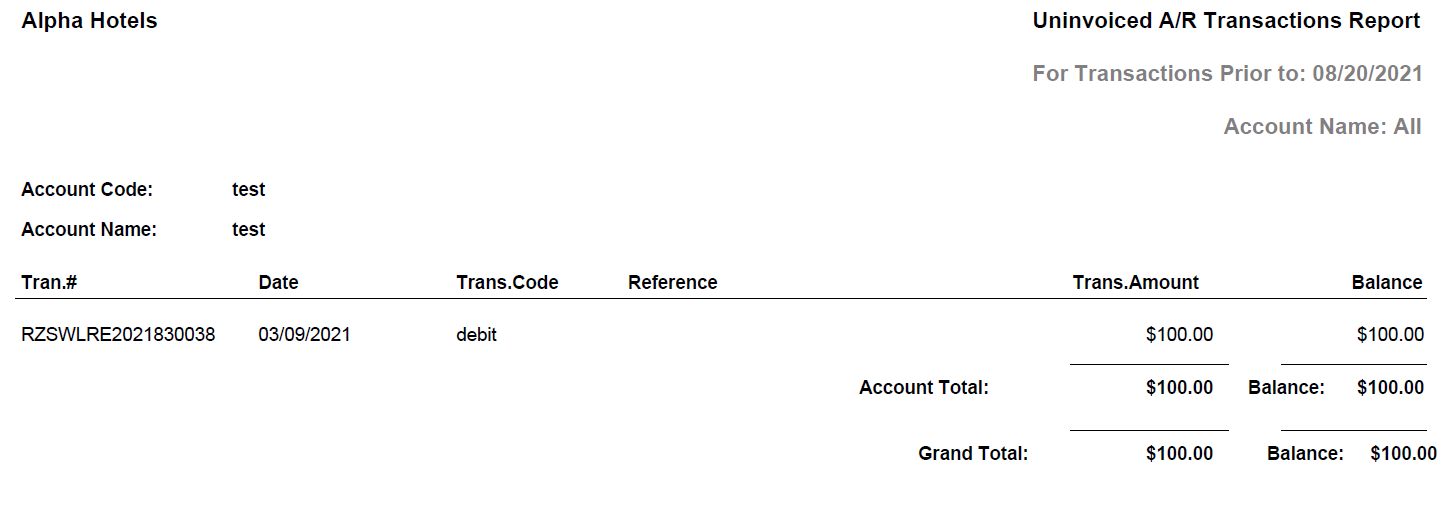
Sample Report
Report Fields
|
Field |
Description |
|---|---|
|
Account Code |
The code of the A/R account. |
|
Account Name |
The account name of the A/R account |
|
Tran. # |
The transaction number associated with the transaction. |
|
Date |
The date the transaction was made. |
|
Trans. Code |
The transaction code associated with the transaction. |
|
Reference |
The reference attached to the transaction at the time of batch creation. |
|
Trans. Amount |
The transaction amounts. |
|
Balance |
The balance amount from A/R transaction maintenance screen is displayed. |
|
Account Total |
The totals of Trans. Amount and Balances for each account is displayed under the respective columns. |
|
Grand Total |
The totals of Trans. Amount and Balances for all accounts is displayed under the respective columns. |